Classic Words Solo

Classic Words Solo
  • DeveloperLulo Apps
  • GenreWord
  • Installs10,000,000+
  • UpdatedNov 6, 2025
  • VersionVaries with device
  • RequirementsAndroid
  • ReleasedMay 20, 2012
  • ContentEveryone
Open official listingAPK metadata only
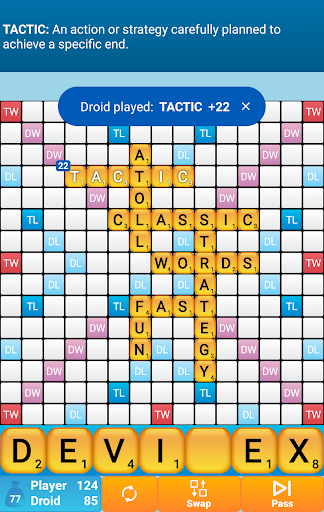
Classic Words Solo screenshot 1Classic Words Solo screenshot 2Classic Words Solo screenshot 3Classic Words Solo screenshot 4Classic Words Solo screenshot 5Classic Words Solo screenshot 6

Classic Words Solo

Editorial review: Classic Words Solo APK and install guide

Classic Words Solo needs a closer APK review because word listings can look trustworthy from ratings alone while still leaving source, version, Android requirement, and privacy questions unanswered. This page keeps those checks in one place: package com.lulo.scrabble.classicwords, developer Lulo Apps, version Varies with device, file size Not published by official listing, and Check official listing before install. The goal is to help you decide whether the official listing deserves your trust before you leave opskd.

The official short summary says: "The number one word game! With smart AI and built-in definitions.". opskd treats that as a claim to verify, not as a complete review, because store copy often emphasizes features while leaving permissions, account requirements, monetization, and source status for the user to check separately.

10,000,000+ installs indicates broad adoption, so comparison should focus on whether the current version still matches the reputation built by earlier releases. 4.5 out of 5 across 209,543 ratings is a strong popularity signal, but it should still be read beside update freshness, privacy posture, and the exact developer name. High ratings can indicate satisfaction, yet they do not prove that permissions, pricing, or account requirements fit your use case.

The listing has been updated within the past year, about 210 days ago. That is acceptable for many categories, but the official listing should still be checked for compatibility notes and recent user feedback.

Who this APK listing is for

Classic Words Solo is most relevant for players who enjoy vocabulary practice, spelling, crosswords, anagrams, word search, or language-based brain training. A good fit means the app's stated purpose, screenshots, rating pattern, developer identity, and official source all support the same story. If you only need a quick category browse, compare it with nearby word alternatives; if you are close to installing, slow down and check the APK identity rows first.

  • Best fit: players who enjoy vocabulary practice, spelling, crosswords, anagrams, word search, or language-based brain training.
  • Review focus: dictionary quality, language support, hint fairness, difficulty pacing, offline play, and whether repeated levels feel meaningful.
  • Current public signal: 10,000,000+ installs and 4.5 out of 5 rating data.

APK source and identity

This page exposes APK metadata for the listing but does not claim to host a standalone APK package. That distinction is intentional. Use the package name, version, file size field, Android requirement, and official listing link as comparison points when you verify the app outside opskd.

  • Package: com.lulo.scrabble.classicwords.
  • Version shown: Varies with device.
  • Source status: APK metadata only.
  • Integrity status: No standalone APK hash is published for this listing yet.

Listing quality signals

The useful signals for Classic Words Solo are not only the headline score. opskd reads the listing through category fit, developer transparency, version clarity, source status, screenshot availability, privacy policy access, and whether the official description makes specific claims that can be checked. For word, the most important review focus is dictionary quality, language support, hint fairness, difficulty pacing, offline play, and whether repeated levels feel meaningful.

  • Offline use is mentioned, so verify whether core features really work without a network connection.
  • Ads or ad-like wording appear in the listing, so review whether placement interrupts active tasks or gameplay.
  • Online, social, or leaderboard features can add account, moderation, and notification considerations.

Trust checks before install

For word games, permissions can matter as much as the feature list. review supported languages, ad frequency, in-app purchases, offline behavior, and whether progress can be restored on a new device. A privacy policy is especially important when the app handles documents, children's activity, learning progress, files, cloud sync, user accounts, location, chat, or social features. If a permission does not fit the app's purpose, treat that as a reason to slow down and verify the developer's explanation.

  • Developer website — Check ownership, support channels, and product documentation from Lulo Apps.
  • Privacy policy — Review what data may be collected, shared, or retained.
  • Official listing — Confirm the current version, rating, screenshots, and install availability.

Decision checklist

Use this checklist before acting on Classic Words Solo. It is designed for quick comparison across all APK listings on opskd, so every app keeps the same core fields visible while the surrounding review notes adapt to category, rating, update freshness, and source status.

  • Confirm that com.lulo.scrabble.classicwords matches the official listing before trusting any install path.
  • Compare version Varies with device, file size Not published by official listing, and Android requirement: Check official listing before install.
  • Review Lulo Apps's privacy policy and support links, especially if the app asks for accounts, files, location, camera, microphone, contacts, or cloud sync.
  • Treat 4.5 out of 5 and 10,000,000+ installs as discovery signals, not proof that the app is safe or right for your device.

Bottom line: Classic Words Solo is worth considering only if its package name, developer, source status, version, Android requirement, privacy policy, and permission profile all make sense for your use case. opskd keeps every APK listing exposed while adding this review layer so the page offers more than copied store text and gives you a clearer path before installing.

Official listing description

This is the official app listing description provided for reference. It does not mean opskd hosts a direct APK file for this app.

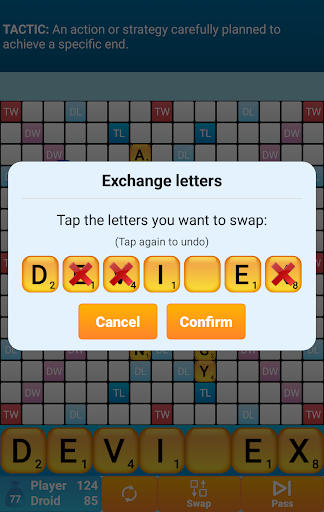
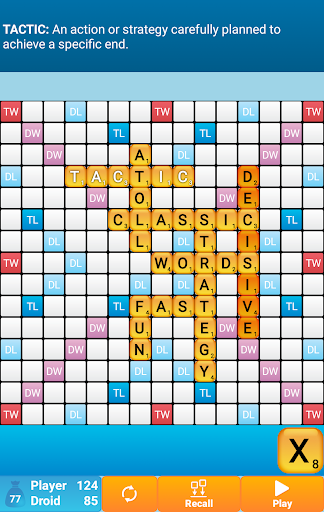
Classic Words is the number one word game to play against your smartphone or tablet (solitaire mode).

Enrich your vocabulary thanks to the built-in word definitions!
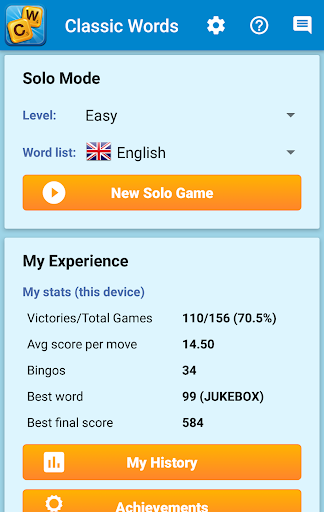
6 difficulty levels and many languages are supported: English, Spanish, French, Italian, German, Dutch, and Polish.

Tired of stumbling across cheaters or waiting hours for your opponent's next move on multiplayer word games?
Try out Classic Words for instant fun, no matter if you are a beginner in crossword games or a tournament player!

Choose the skill level of the computer (from beginner to expert), pick a word list (English word lists include the latest NASPA Word List 2020), and use your strategy skills and vocabulary to try and defeat the Droid.

Classic Words gameplay is classical to crosswords board games: create and place words on the board and boost your score by placing letters on the high scoring Double Letter, Double Word, Triple Letter, and Triple Word squares.
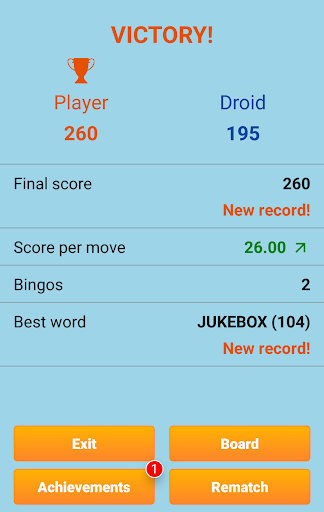
Use all 7 letters from your rack to play a Bingo and get a 50 points bonus.

This game is a great time killer for all board games and strategy games fans. It's also a fun way to improve your spelling and vocabulary.

Thanks to the fast reactivity and variable skill of the computer and quality word lists, Classic Words is used by many enthusiasts to play quick training matches and learn new words from the computer's moves.

Unlike multiplayer board games where some dishonest players use anagram solvers, there is no cheating possible when playing solitaire... Letters and blanks are always picked randomly, and the computer's artificial intelligence does not have more information than you do.

Only your tactics and creativity can make the difference...
Will you play strategically enough to outwit the computer and its extensive vocabulary?

☆ Features ☆
• Smart AI
• 6 levels of difficulty
• Display the definition of words by swiping them
• Supports offline play
• Languages and dictionaries supported:
- English (official NASPA Word List 2020, used in US tournaments, and International English official list)
- German (with support of Umlauts, and Ezset to be replaced by two 'S')
- French (official list used in tournaments)
- Italian
- Spanish
- Dutch
- Polish
• Distribution of letters and points is adapted to the language
Application popularity
91%
  • 209,543 ratings
  • 19,771 reviews

APK details

Classic Words Solo APK identity, source status, and install checks.

Open official listing
  • Package namecom.lulo.scrabble.classicwords
  • VersionVaries with device
  • File sizeNot published by official listing
  • Android requirementCheck official listing before install
  • APK sourceOfficial Google Play listing only
  • Integrity checkNo standalone APK hash is published for this listing yet
  • Safety noteInstall only after checking the official listing and requested permissions.
APK source checkopskd does not host a direct APK for this listing yet. We show the package name, version, file size, Android requirement, and official listing so you can verify the app before leaving the page.

App Information

  • DeveloperLulo Apps
  • CategoryWord
  • VersionVaries with device
  • Installs10,000,000+
  • UpdatedNov 6, 2025
  • ReleasedMay 20, 2012
  • Content ratingEveryone
  • Android versionAndroid
  • SizeUnknown

Similar Apps

Recommended Apps