MacroDroid - Device Automation

MacroDroid - Device Automation

  • DeveloperArloSoft
  • GenreTools
  • Installs10,000,000+
  • UpdatedFeb 22, 2026
  • VersionVaries with device
  • RequirementsAndroid
  • ReleasedMay 18, 2012
  • ContentEveryone
Open official listingAPK metadata only
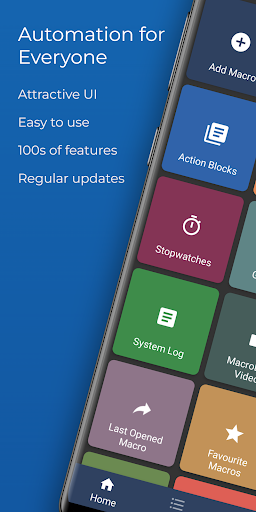
MacroDroid - Device Automation screenshot 1MacroDroid - Device Automation screenshot 2MacroDroid - Device Automation screenshot 3MacroDroid - Device Automation screenshot 4MacroDroid - Device Automation screenshot 5MacroDroid - Device Automation screenshot 6

MacroDroid - Device Automation

Editorial review: MacroDroid - Device Automation APK and install guide

Before MacroDroid - Device Automation earns space on an Android device, the important question is not just whether it is popular. The better question is whether the APK identity, developer name, version, privacy policy, source status, and category fit all point in the same direction. For this tools tool, opskd highlights com.arlosoft.macrodroid, ArloSoft, version Varies with device, Not published by official listing, and Check official listing before install so the listing can be checked without guessing.

The official short summary says: "Number one automation app for Android - Over 20 million Downloads.". opskd treats that as a claim to verify, not as a complete review, because store copy often emphasizes features while leaving permissions, account requirements, monetization, and source status for the user to check separately.

10,000,000+ installs indicates broad adoption, so comparison should focus on whether the current version still matches the reputation built by earlier releases. 4.3 out of 5 across 88,831 ratings suggests a generally positive reception. For this score band, the useful question is whether the app's strengths match your needs and whether recent updates or user expectations have changed since the rating base was built.

The listing has been updated within the past year, about 101 days ago. That is acceptable for many categories, but the official listing should still be checked for compatibility notes and recent user feedback.

Who this APK listing is for

MacroDroid - Device Automation is most relevant for Android users who need practical utilities for files, connectivity, device checks, calculators, conversion, or everyday maintenance. A good fit means the app's stated purpose, screenshots, rating pattern, developer identity, and official source all support the same story. If you only need a quick category browse, compare it with nearby tools alternatives; if you are close to installing, slow down and check the APK identity rows first.

  • Best fit: Android users who need practical utilities for files, connectivity, device checks, calculators, conversion, or everyday maintenance.
  • Review focus: permission scope, offline usefulness, interface clarity, export safety, ad placement, and whether the tool does one job cleanly.
  • Current public signal: 10,000,000+ installs and 4.3 out of 5 rating data.

APK source and identity

This page exposes APK metadata for the listing but does not claim to host a standalone APK package. That distinction is intentional. Use the package name, version, file size field, Android requirement, and official listing link as comparison points when you verify the app outside opskd.

  • Package: com.arlosoft.macrodroid.
  • Version shown: Varies with device.
  • Source status: APK metadata only.
  • Integrity status: No standalone APK hash is published for this listing yet.

Listing quality signals

The useful signals for MacroDroid - Device Automation are not only the headline score. opskd reads the listing through category fit, developer transparency, version clarity, source status, screenshot availability, privacy policy access, and whether the official description makes specific claims that can be checked. For tools, the most important review focus is permission scope, offline usefulness, interface clarity, export safety, ad placement, and whether the tool does one job cleanly.

  • Ads or ad-like wording appear in the listing, so review whether placement interrupts active tasks or gameplay.
  • Paid features, subscriptions, trials, or in-app purchases may affect the real cost of using the app.
  • Device data or file-related language means permissions should be compared with the app purpose before install.

Trust checks before install

For tools tools, permissions can matter as much as the feature list. inspect requested permissions, developer reputation, privacy policy, whether files leave the device, and how results can be exported. A privacy policy is especially important when the app handles documents, children's activity, learning progress, files, cloud sync, user accounts, location, chat, or social features. If a permission does not fit the app's purpose, treat that as a reason to slow down and verify the developer's explanation.

  • Developer website — Check ownership, support channels, and product documentation from ArloSoft.
  • Privacy policy — Review what data may be collected, shared, or retained.
  • Official listing — Confirm the current version, rating, screenshots, and install availability.

Decision checklist

Use this checklist before acting on MacroDroid - Device Automation. It is designed for quick comparison across all APK listings on opskd, so every app keeps the same core fields visible while the surrounding review notes adapt to category, rating, update freshness, and source status.

  • Confirm that com.arlosoft.macrodroid matches the official listing before trusting any install path.
  • Compare version Varies with device, file size Not published by official listing, and Android requirement: Check official listing before install.
  • Review ArloSoft's privacy policy and support links, especially if the app asks for accounts, files, location, camera, microphone, contacts, or cloud sync.
  • Treat 4.3 out of 5 and 10,000,000+ installs as discovery signals, not proof that the app is safe or right for your device.

Bottom line: MacroDroid - Device Automation is worth considering only if its package name, developer, source status, version, Android requirement, privacy policy, and permission profile all make sense for your use case. opskd keeps every APK listing exposed while adding this review layer so the page offers more than copied store text and gives you a clearer path before installing.

Official listing description

This is the official app listing description provided for reference. It does not mean opskd hosts a direct APK file for this app.

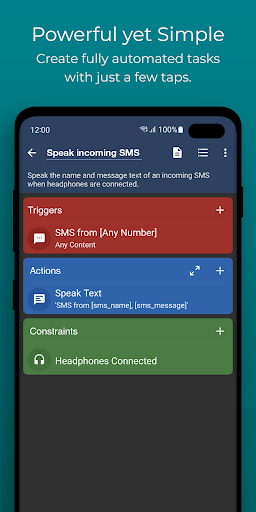
MacroDroid is the easiest way to automate tasks on your Android smartphone or tablet. Via the straightforward user interface MacroDroid makes it possible to build fully automated tasks in just a few taps.

A few examples of how MacroDroid can help you to get automated:

# Manage files on your device, for example automating file copying, moving and deleting to keep your file system clean.
# Auto reject incoming calls when in a meeting (as set in your calendar).
# Increase safety while commuting by reading your incoming notifications and messages (via Text to Speech) and send automated responses via email or SMS.
# Optimize your daily workflow on your phone; switch on bluetooth and start playing music when you enter your car. Or switch on WiFi when near your house.
# Reduce battery drain (e.g. dim screen and switch Wifi off)
# Make custom sound and notification profiles.
# Remind you to do certain tasks using timers and stopwatches.

These are just a few examples out of limitless scenarios where MacroDroid can make your Android life a little easier. With only 3 simple steps this is how it works:

1. Select a Trigger.

The trigger is the cue for the macro to start. MacroDroid offers over 80 triggers to start your macro, i.e. location based triggers (like GPS, cell towers, etc), device status triggers (like battery level, app starting/closing), sensor triggers (like shaking, light levels, etc) and connectivity triggers (like Bluetooth, Wifi and Notifications).
You can also create a shortcut on the homescreen of your device or run using the unique and customizable Macrodroid sidebar.

2. Select the Actions you like to automate.

MacroDroid can perform over 100 different actions, that you typically would do by hand. Connect to your Bluetooth or Wifi device, select volume levels, speak text (like your incoming notifications or current time), start a timer, dim your screen, run Tasker plugin and many more.

3. Optionally: Configure Constraints.

Constraints help you to let the macro fire only when you want it to.
Living near your work, but only want to connect to your company's Wifi during work days? With a constraint you can select specific times or days that the macro can be invoked. MacroDroid offers over 50 constraint types.

MacroDroid is compatible with Tasker and Locale plugins to expand the range of possibilities even further.

= For beginners =

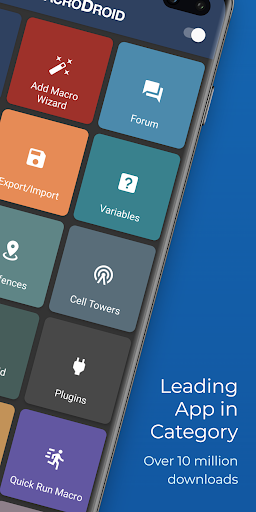
MacroDroid's unique interface offers a Wizard that guides step by step through the configuration of your first macros.
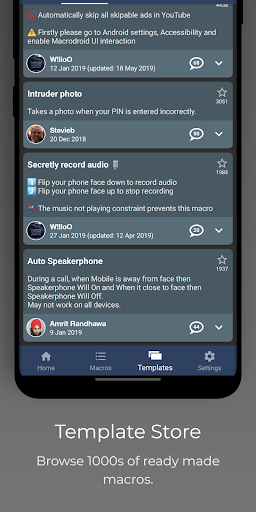
It is also possible to use an existing template from the template section and customize it to your needs.
The built-in forum allows you to get help from other users, allowing you to easy learn the ins and outs of MacroDroid.

= For more experienced users =

MacroDroid offers more comprehensive solutions like the use of Tasker and Locale plugins, system/user defined variables, scripts, intents, advance logic like IF, THEN, ELSE clauses, use of AND/OR

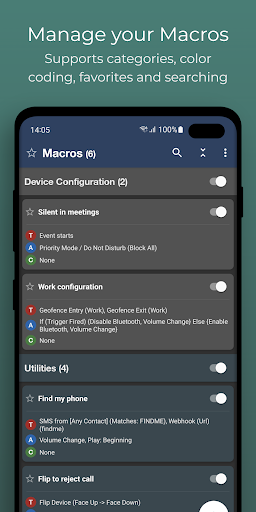
The free version of MacroDroid is ad-supported and allows up to 5 macros. The Pro version (a small one time fee) removes all adverts and allows an unlimited amount of macros.

= Support =

Please use the in-app forum for all usage questions and feature requests, or access via www.macrodroidforum.com.

To report bugs please use the built in 'Report a bug' option available via the troubleshooting section.

= Accessibility Services =

MacroDroid makes use of accessibility services for certain features like automating UI Interactions. use of accessibility services is entirely at the users discretion. No user data is ever obtained or logged from any accessibility service.

= Wear OS =

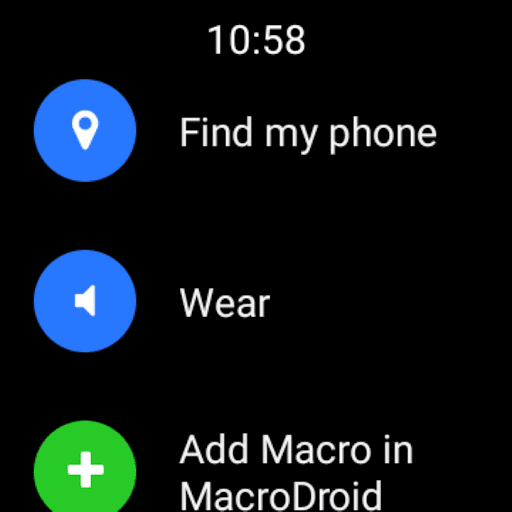
This app contains a Wear OS companion app for interaction with MacroDroid. This is not a standalone app and requires the phone application installed. The Wear OS app supports complications populated by MacroDroid to use along with your watch face of choice.
Application popularity
87%
  • 88,831 ratings
  • 3,853 reviews

APK details

MacroDroid - Device Automation APK identity, source status, and install checks.

Open official listing
  • Package namecom.arlosoft.macrodroid
  • VersionVaries with device
  • File sizeNot published by official listing
  • Android requirementCheck official listing before install
  • APK sourceOfficial Google Play listing only
  • Integrity checkNo standalone APK hash is published for this listing yet
  • Safety noteInstall only after checking the official listing and requested permissions.
APK source checkopskd does not host a direct APK for this listing yet. We show the package name, version, file size, Android requirement, and official listing so you can verify the app before leaving the page.

App Information

  • DeveloperArloSoft
  • CategoryTools
  • VersionVaries with device
  • Installs10,000,000+
  • UpdatedFeb 22, 2026
  • ReleasedMay 18, 2012
  • Content ratingEveryone
  • Android versionAndroid
  • SizeUnknown

Similar Apps

Recommended Apps