Editorial review: Sticky Password Manager APK and install guide

A useful APK page for Sticky Password Manager has to do more than repeat a store description. It should explain what kind of user the productivity listing is for, where the APK source points, what fields are missing, and which signals deserve a second look. This profile starts with com.stickypassword.android, Lamantine Software a.s., version 8.9.9.7020, Not published by official listing, and Check official listing before install, then adds install-readiness notes around those facts.

The official short summary says: "Sticky Password is a powerful yet simple password manager and digital vault.". opskd treats that as a claim to verify, not as a complete review, because store copy often emphasizes features while leaving permissions, account requirements, monetization, and source status for the user to check separately.

100,000+ installs gives enough public footprint to compare the app with alternatives, while still leaving room for careful review of support links and update cadence. 4.7 out of 5 across 10,277 ratings is a strong popularity signal, but it should still be read beside update freshness, privacy posture, and the exact developer name. High ratings can indicate satisfaction, yet they do not prove that permissions, pricing, or account requirements fit your use case.

The listing has been updated within the past year, about 105 days ago. That is acceptable for many categories, but the official listing should still be checked for compatibility notes and recent user feedback.

Who this APK listing is for

Sticky Password Manager is most relevant for people who use Android for documents, planning, notes, work communication, scanning, or repeatable daily workflows. A good fit means the app's stated purpose, screenshots, rating pattern, developer identity, and official source all support the same story. If you only need a quick category browse, compare it with nearby productivity alternatives; if you are close to installing, slow down and check the APK identity rows first.

  • Best fit: people who use Android for documents, planning, notes, work communication, scanning, or repeatable daily workflows.
  • Review focus: reliability, account dependency, export options, sync behavior, offline mode, privacy controls, and how easy it is to leave the app later.
  • Current public signal: 100,000+ installs and 4.7 out of 5 rating data.

APK source and identity

This page exposes APK metadata for the listing but does not claim to host a standalone APK package. That distinction is intentional. Use the package name, version, file size field, Android requirement, and official listing link as comparison points when you verify the app outside opskd.

  • Package: com.stickypassword.android.
  • Version shown: 8.9.9.7020.
  • Source status: APK metadata only.
  • Integrity status: No standalone APK hash is published for this listing yet.

Listing quality signals

The useful signals for Sticky Password Manager are not only the headline score. opskd reads the listing through category fit, developer transparency, version clarity, source status, screenshot availability, privacy policy access, and whether the official description makes specific claims that can be checked. For productivity, the most important review focus is reliability, account dependency, export options, sync behavior, offline mode, privacy controls, and how easy it is to leave the app later.

  • Offline use is mentioned, so verify whether core features really work without a network connection.
  • Ads or ad-like wording appear in the listing, so review whether placement interrupts active tasks or gameplay.
  • Paid features, subscriptions, trials, or in-app purchases may affect the real cost of using the app.
  • Account, login, sync, or cloud language suggests you should check data retention and export options.
  • Family or learning language makes age fit, privacy policy clarity, and parent controls especially important.

Trust checks before install

For productivity apps, permissions can matter as much as the feature list. verify file access permissions, cloud sync settings, subscription terms, background activity, and whether the app works without an account. A privacy policy is especially important when the app handles documents, children's activity, learning progress, files, cloud sync, user accounts, location, chat, or social features. If a permission does not fit the app's purpose, treat that as a reason to slow down and verify the developer's explanation.

  • Developer website — Check ownership, support channels, and product documentation from Lamantine Software a.s..
  • Privacy policy — Review what data may be collected, shared, or retained.
  • Official listing — Confirm the current version, rating, screenshots, and install availability.

Decision checklist

Use this checklist before acting on Sticky Password Manager. It is designed for quick comparison across all APK listings on opskd, so every app keeps the same core fields visible while the surrounding review notes adapt to category, rating, update freshness, and source status.

  • Confirm that com.stickypassword.android matches the official listing before trusting any install path.
  • Compare version 8.9.9.7020, file size Not published by official listing, and Android requirement: Check official listing before install.
  • Review Lamantine Software a.s.'s privacy policy and support links, especially if the app asks for accounts, files, location, camera, microphone, contacts, or cloud sync.
  • Treat 4.7 out of 5 and 100,000+ installs as discovery signals, not proof that the app is safe or right for your device.

Bottom line: Sticky Password Manager is worth considering only if its package name, developer, source status, version, Android requirement, privacy policy, and permission profile all make sense for your use case. opskd keeps every APK listing exposed while adding this review layer so the page offers more than copied store text and gives you a clearer path before installing.

Official listing description

This is the official app listing description provided for reference. It does not mean opskd hosts a direct APK file for this app.

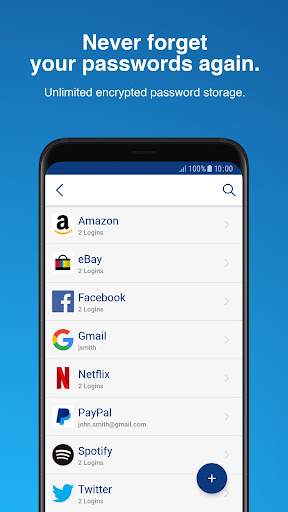
No more forgotten, unsafe, or reused passwords. Sticky Password is the award-winning password manager and form-filler trusted by millions for over 20 years. It securely stores your logins and passwords on your Android device with AES-256 encryption — the world’s leading security standard. Your data stays private — everything is encrypted locally before syncing, so only you can unlock it.

Features:

PASSWORD MANAGER & AUTOFILL
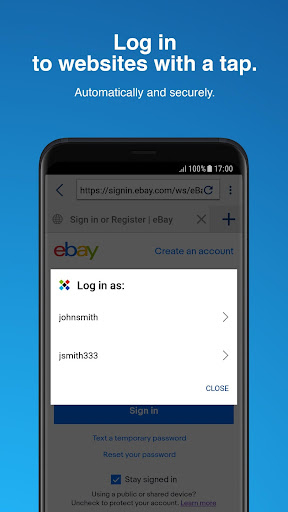
* Never type or forget a password again — Sticky Password remembers and autofills for you.
* Stores all your logins and credentials in a secure, encrypted vault.
* Unlock with one Master Password, biometrics, or PIN.
* Enhanced two-factor authentication.
* Offline access to your vault.
* Autofills passwords in browsers and applications.
* Fills in passwords automatically in your browsers, and even more applications supported with Accessibility Service enabled.

CONTACTLESS CONNECT
Authorize logins securely on any browser and platform without installing Sticky Password or entering your Master Password. Your smartphone becomes your authenticator — not just for passkeys, but also for passwords. Designed for mobile-first users and those who frequently move between devices or environments, Contactless Connect provides instant, secure access wherever you work.

SYNCHRONIZATION & BACKUP
* Sync your passwords and credentials across all your devices.
* Choose between secure cloud sync or local Wi‑Fi sync (no cloud).

DARK WEB AND BREACH MONITORING
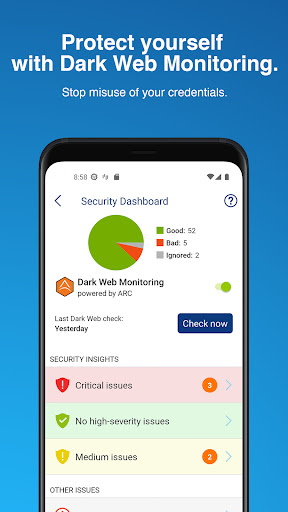
* Detect leaks early with real-time dark‑web scans.
* Alerts you when a service you use has been breached.
* Receive notifications if your credentials appear in breach databases.

SECURE SHARING
* Share passwords safely with family or colleagues.

PASSWORD GENERATOR
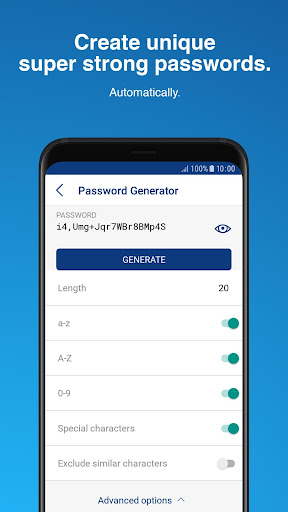
* Instantly create strong, unique passwords for new accounts.
* Identify weak, old, or reused passwords in your existing accounts.

DIGITAL WALLET
* Keep your credit card numbers and payment data secure in your encrypted vault.

SECURE NOTES
* Protect passports, IDs, licenses, and other personal info with AES-256 encryption.
* Access secure notes on mobile, tablet, and desktop.

Sticky Password is always free for one device.

You can get even more with Premium features and manage your passwords and data across all your devices:
* Cloud sync & backup.
* Local Wi‑Fi sync.
* Secure password sharing.
* Priority support.
* Lifetime (perpetual) license option is available.

And if that's not enough, Sticky Password:
* Received PCMag's Editors' Choice Award with a rating of "Excellent".
* Has been trusted for over 20 years of password protection and innovation.
* Has best-in-class sync options.
* Each Premium license helps support the non-profit Save the Manatee Club.

Let us help you protect your digital life — and manatees, too.

Supported languages
* English
* German
* French
* Czech
* Russian
* Japanese
* Ukrainian
* Dutch
* Brazilian Portuguese
* Spanish
* Polish
* Italian

Important links
* Homepage: https://www.stickypassword.com/
* Support: https://www.stickypassword.com/help
* Facebook: https://www.facebook.com/stickypassword
* Twitter: https://twitter.com/stickypassword
Application popularity
94%
  • 10,277 ratings
  • 907 reviews

APK details

Sticky Password Manager APK identity, source status, and install checks.

Open official listing
  • Package namecom.stickypassword.android
  • Version8.9.9.7020
  • File sizeNot published by official listing
  • Android requirementCheck official listing before install
  • APK sourceOfficial Google Play listing only
  • Integrity checkNo standalone APK hash is published for this listing yet
  • Safety noteInstall only after checking the official listing and requested permissions.

APK source checkopskd does not host a direct APK for this listing yet. We show the package name, version, file size, Android requirement, and official listing so you can verify the app before leaving the page.

App Information

  • DeveloperLamantine Software a.s.
  • CategoryProductivity
  • Version8.9.9.7020
  • Installs100,000+
  • UpdatedFeb 18, 2026
  • ReleasedSep 23, 2013
  • Content ratingEveryone
  • Android versionAndroid
  • SizeUnknown

Similar Apps

Recommended Apps